Best IP Camera DVR Recorder for Home Security and Live Viewing
Answering the common question “which IP camera DVR recorder should I buy?”, this guide compares five top options that balance compatibility, storage efficiency, and smart features. The best picks cover hybrid systems that handle analog and IP cameras, AI detection, and remote access. Ideal buyers include homeowners expanding an existing system, small offices needing reliable 24/7 monitoring, and users seeking AI alerts for more precise notifications. Below is a quick summary table of the featured models to help you compare at a glance.
| Product | Channel Type | AI / Smart Features | IP Camera Support | Notes |
|---|---|---|---|---|
| ANNKE 8CH 3K Lite DVR | 8 Analog + 2 IP | Human & Vehicle Detection | 2 IP Cameras | No HDD included in base listing |
| Amcrest NV4108E-A2 NVR | 8 PoE | AI features depend on camera model | 8 IP Cameras | Supports up to 10TB HDD |
| ANNKE 3K Lite 8 Channel Hybrid | 8 Analog + 2 IP | AI Human & Vehicle Detection | 2 IP Cameras | Best with ANNKE cameras |
| ANNKE 3K Lite H.265+ Hybrid | 8 Analog + 2 IP | AI Human/Vehicle Detection | 2 IP Cameras | No HDD included |
| ANNKE 8 Channel DVR NO HDD | 8 Analog + 2 IP | Human & Vehicle Detection | 2 IP Cameras | No HDD; best to pair with ANNKE storage |
ANNKE 8CH 3K Lite Security DVR Overview

This 5-in-1 hybrid DVR supports up to 8 analog channels plus 2 IP cameras, combining DVR, NVR, and HVR capabilities in one unit. It uses H.265+ to extend recording time while maintaining real-time streaming. Smart AI detects humans and vehicles, reducing false alarms. Best for homeowners who already use ANNKE analog cameras or want future IP upgrades from ANNKE.
Best for: users prioritizing AI alerts and hybrid expansion with ANNKE gear. Limitation: only 2 IP channels are supported without additional integration. Recommendation: pair with ANNKE IP cameras for optimal performance.
Amcrest NV4108E-A2 4K NVR
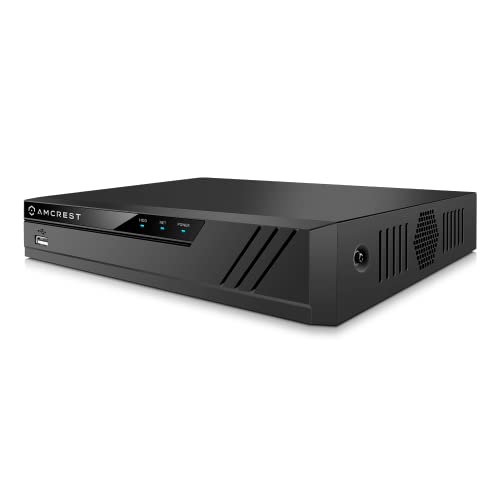
The NV4108E-A2 is an 8-channel PoE NVR that supports up to 8 MP/4K IP cameras, with advanced H.265 compression for efficient storage. It offers real-time 30fps recording and playback across multiple channels. Best for users who want robust IP camera support with flexible storage options (up to 10TB HDD, not included). AI features depend on compatible IP cameras, making it a good fit for mixed IP ecosystems.
Best for: small to medium installations with a primary focus on IP cameras and future AI integration. Caution: AI features are camera-dependent and may require compatible devices.
ANNKE 3K Lite 8 Channel Hybrid DVR

This 5-in-1 hybrid DVR supports 8 analog channels plus 2 IP cameras, with H.265+ for longer storage. Remote access via ANNKE Vision App enables control from mobile devices and browsers. Note that it is designed to work best with ANNKE cameras for correct performance and may require a software alignment for third-party gear. Best for: households using ANNKE cameras or planning a hybrid setup with ANNKE components.
Caution: Third-party IP cameras may have limited compatibility; confirm ANNKE support for your camera model before purchase.
ANNKE 3K Lite Hybrid AI DVR (No HDD)

This 5-in-1 hybrid DVR supports up to 8 analog plus 2 IP cameras and ships without a hard drive. It relies on H.265+ for storage efficiency and features AI-driven human/vehicle detection. Best for: users who already own a compatible ANNKE HDD or want to minimize upfront storage costs with expandable drives. Limitation: no included hard drive means additional purchase is required for recording storage.
ANNKE 8 Channel DVR No HDD (3K Lite)

This 8-channel 3K Lite DVR is a 5-in-1 hybrid system supporting 8 analog channels and 2 IP channels with AI detection. It is designed for remote access via ANNKE Vision App and supports run-time alarms for motion events. Best for: buyers who want a versatile hybrid DVR with AI alerts and intend to add a storage drive later. Caution: No HDD included; ensure you add a drive to enable recording.
Buying Guide
What to consider when choosing a DVR for IP cameras
- Hybrid vs. all-IP: Choose hybrid if you have a mix of analog and IP cameras; go all-IP if you plan to upgrade to IP-only systems soon.
- AI features: Look for AI detection (human/vehicle) to reduce false alarms and improve notification relevance.
- Storage options: Check supported hard drive capacity and whether the HDD is included. H.265+ helps save space.
- Channel and IP camera count: Ensure the model supports your current and planned number of cameras, including IP channel limits.
- Remote access: Confirm app compatibility and browser support for monitoring from smartphones and PCs.
- Brand ecosystem: Some models perform best with the same brand cameras for optimal compatibility.
Which setup fits different buyers
- First-time home user: A hybrid DVR with AI detection and a straightforward app, preferring one-brand cameras for reliability.
- Small business: A multi-channel NVR with PoE, high IP camera support, and scalable storage to handle longer recordings.
- DIY upgrader: A model that supports existing analog cameras and easy IP expansion, with a clear path to full IP later.
Installation and maintenance tips
- Plan storage in advance; recording duration depends on resolution, frame rate, and retention period.
- Secure remote access with strong passwords and regular firmware updates.
- Test AI alerts during installation to ensure you’re receiving meaningful notifications.
FAQ
- What is H.265+ and why does it matter?
H.265+ is a video compression standard that reduces storage needs by up to about 80% compared with H.264, enabling longer retention and smoother remote viewing.
- Can I mix brands in a hybrid DVR?
Compatibility varies; some systems may work with third-party cameras, but performance is best when using the same brand cameras designed for the DVR.
- Do these DVRs require an internet connection?
Remote access generally requires internet. Local recording works without internet, but alerts and remote viewing depend on network access.
- What should I consider when selecting storage capacity?
Higher resolutions and more channels increase space needs. Plan for at least several days of footage if you need quick access to past events.
- Is AI detection always accurate?
AI helps reduce false alerts, but accuracy depends on camera placement, lighting, and object types; test in your environment for best results.