Best USB Webcams With Optical Zoom for Clear Video and Flexible Framing
When selecting a USB webcam with optical zoom, choose models that balance zoom range, image quality, and reliable autofocus or manual focus controls. This guide highlights five practical options for different buyers, from corporate meetings to live streaming and classroom use. Each product is described with who it’s best for, why it was selected, and a potential limitation to consider. The table below offers a quick comparison of the featured picks.
| Product | ||
|---|---|---|
| NexiGo Conference Room PTZ Camera System | Medium to large meeting rooms, live streams | 10x optical zoom, remote control, presets |
| ELP 4K USB/HDMI USB Camera | Professional content creation, studio setups | 4K output, wide zoom range (5-50mm) |
| SVPRO HD USB Camera 1080P | Desktop or small studios, webinars | 10x optical zoom, flexible focal length |
| SVPRO Telephoto Webcam Mac Compatible | Mac users, close-up to distant shots | 10x optical zoom, versatile CS mount |
| IFWATER 16MP USB Camera | Industrial, live streaming, research | 4x optical zoom, high-resolution sensor |
Buyer note: Optical zoom helps maintain image clarity when you frame distant speakers or subjects. Digital zoom degrades quality; the models below prioritize true optical zoom and reliable zoom control.
NexiGo Conference Room PTZ Camera System

Best for: Medium to large meeting rooms and live streaming with clear speaker focus. This NexiGo model features a professional 10x optical zoom, wide-angle view, and the option of autofocus or manual focus. The 1080p output combined with noise reduction helps preserve detail in variable lighting. It supports up to 255 preset positions via RS232 and up to 10 presets via IR remote for quick framing during meetings or services.
Why selected: Its robust PTZ capabilities and smooth silent movement make it ideal for scenarios where participants move around or where presenters need dynamic framing. The camera’s optical zoom ensures sharp close-ups without sacrificing image quality. Note: There is no built-in microphone, so you’ll pair it with a separate mic for speech pickup.
Caution: Ensure your room’s lighting is adequate for 1080p at maximum zoom; low light can still challenge edge details even with 3DNR processing.
ELP 4K USB HDMI USB Camera

Best for: Content creators and professionals who need high-resolution output and flexible focal adjustments. The camera provides 4K output and a 5-50mm manual zoom lens, enabling precise framing from close-ups to distant scenes. Connectivity supports USB and HDMI concurrently for versatile setups, and the lens rotation allows quick adjustments on the fly.
Why selected: The 4K resolution and hand-tuned zoom let you capture fine details in productions or lectures. It’s particularly suitable when you require sharp, cinematic-like framing in a compact USB camera. Caution: It uses USB with a Type-C power supply; confirm power compatibility with your workstation or capture device before use.
SVPRO HD USB Camera 1080P
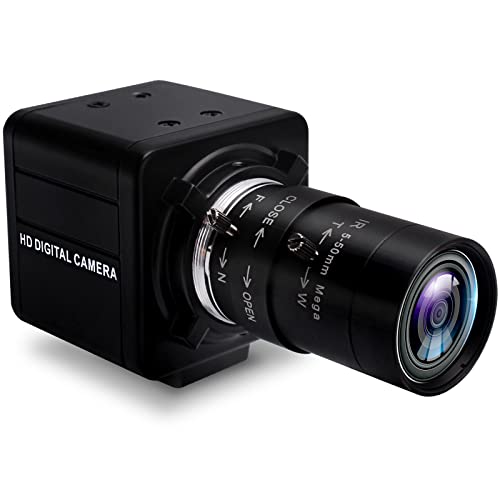
Best for: Desktop setups and small studios needing reliable 1080p with optical zoom. The camera features a 5-50mm zoom range and a 10x optical zoom, providing flexibility from close-up demonstrations to broader scenes. It uses a CS mount allowing some lens exchange for specific tasks.
Why selected: The 10x optical zoom combined with full HD resolution makes it a versatile choice for classrooms, webinars, and casual production. Limitation: Some users may prefer higher frame rates at 1080p for fast-motion content, which this model supports up to standard 30fps in typical use.
SVPRO Telephoto Webcam Mac Compatible
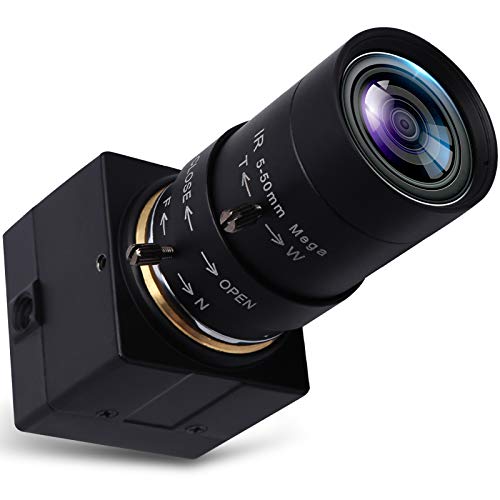
Best for: Mac users needing flexible close-up to distant shots with strong zoom. This webcam features 10x optical zoom via a 5-50mm CS-mount varifocal lens and manual focus to tailor framing for presentations, tutorials, or product demos. The IR-cut filter supports accurate color in varied lighting.
Why selected: The telephoto capability expands framing options in tighter spaces and for distant speakers. Caution: It’s a macro-friendly option, but relying on manual focus means you’ll need to adjust before each session if your subject distance changes significantly.
IFWATER 16MP USB Camera
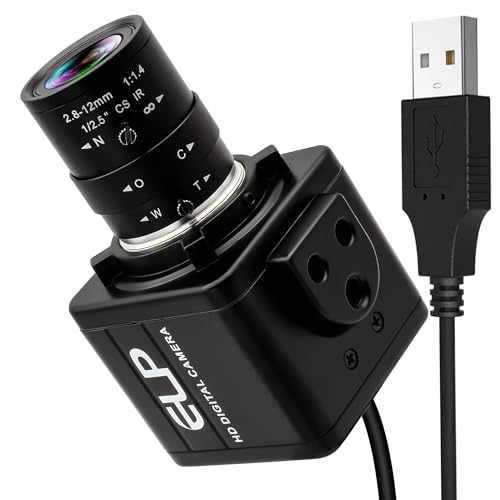
Best for: Industrial, lab settings, and live streaming requiring high-resolution imaging. It includes a 2.8-12mm 4X optical zoom lens with a CS mount, enabling precise focus and variable focal lengths for distant or near subjects. The sensor supports sharp detail for documentation and inspection tasks.
Why selected: The 16MP sensor and optical zoom provide strong detail across distances, making it suitable for demonstrations and technical capture. Caution: Data sheets note a USB plug-and-play setup, but check compatibility with your specific operating system and software before deployment in professional workflows.
Buying Guide: How to Choose a USB Webcam With Optical Zoom
- Zoom Range: Prioritize true optical zoom (5x to 20x) over digital zoom. Optical zoom preserves detail when you crop in on distant speakers.
- Resolution and Frame Rate: For meetings and streaming, 1080p at 30fps is common; 4K is ideal for high-detail content, but ensure your PC and network can handle the data rate.
- Lens Type and Mount: Check if the lens is varifocal (5-50mm) for flexible framing. CS-mount lenses offer lens interchangeability for specialized use.
- Autofocus vs Manual Focus: Autofocus is convenient for dynamic scenes; manual focus helps when subjects are stationary at known distances.
- Connectivity and Power: Look for USB-C or USB-A compatibility and ensure your power supply supports any required peripherals.
- Audio Considerations: If the webcam lacks built-in audio, pair with a separate mic for clear speech pickup in meetings or live streams.
- Room and Lighting: Even with good zoom, poor lighting impacts detail. Consider models with noise reduction and reasonable low-light performance.
- Software Compatibility: Ensure compatibility with your preferred platforms (Zoom, Teams, OBS, etc.) and operating systems (Windows, macOS, Linux).
FAQ
- What is optical zoom in webcams?
Optical zoom uses the camera lens to magnify the scene without degrading image quality, unlike digital zoom which crops the image.
- Do all USB webcams support 1080p?
No. Some models offer 720p or 4K; check the native resolution and frame rate before purchase to match your needs.
- Is a built-in microphone essential?
Not always. If audio quality is critical, choose a model with a good microphone or plan to pair a dedicated microphone.
- Can I swap lenses on these webcams?
Some models use CS-mount lenses that can be swapped or adjusted; others have fixed lenses. Check product specs for lens compatibility.
- What’s the advantage of a PTZ camera for meetings?
PTZ cameras offer pan, tilt, and zoom with presets, enabling smooth framing of multiple speakers without manual repositioning.