Best USB Cables for Digital Cameras: Fast, Reliable Data Transfer
In the realm of digital photography, the right USB connection can streamline workflow and protect your shot library. This guide highlights five USB cables and adapters that reliably connect cameras to computers, tablets, or mobile devices. From Mini-B USB to USB-C and camera-specific IFC cables, these picks cover popular Canon and Nikon models and offer solid data transfer performance. Each option is evaluated for compatibility, ease of use, and durability to help you move images quickly and safely.
| Product | Brand | Type / Cable | Key Compatibility |
|---|---|---|---|
| SCOVEE Camera USB Cable Cord | SCOVEE | Mini-B USB data transfer cable | Canon Rebel, PowerShot, EOS, ELPH, DSC series |
| Ancable UC-E6 USB Cable | Ancable | USB Mini-B data transfer cord | Nikon CoolPix L, D, P series and similar |
| Camera IFC-400PCU USB Data Cable | ienza | IFC USB data transfer cable | Canon Rebel / EOS / Vixia, various IFC-compatible models |
| SCOVEE Mini USB Cable For Canon | SCOVEE | Mini-B USB data transfer cable | Canon PowerShot ELPH / Rebel, GoPro & more |
| Ienza USB Picture Transfer Cable UC-E6/UC-E17 | ienza | UC-E6 / UC-E16 / UC-E17 USB data transfer cable | Nikon Coolpix and select DSLR/DSLR-like models |
SCOVEE Camera USB Cable Cord for Canon and More
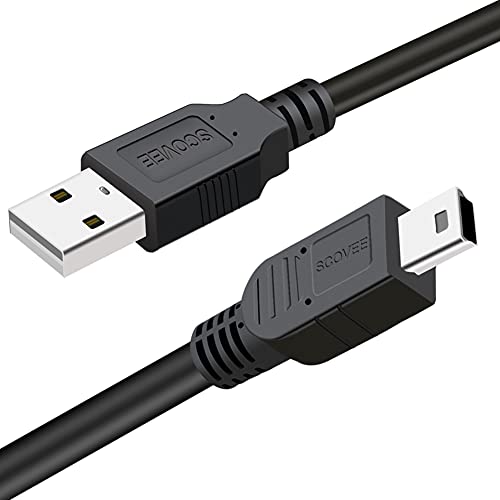
This USB mini-B data transfer cable is designed for Mini-B 5-pin devices and the IFC family cables. It supports transferring pictures and other files from Canon cameras to a PC or Mac, and is listed as compatible with camera models using IFC-400PCU, IFC-200U, and IFC-500U interfaces. Compatibility includes Canon PowerShot ELPH series and various Rebel/DSLR lines. The cable provides a straightforward plug-and-play data link and can also serve as a basic charging option when supported by the device.
Ancable UC-E6 USB Cable For Nikon and More
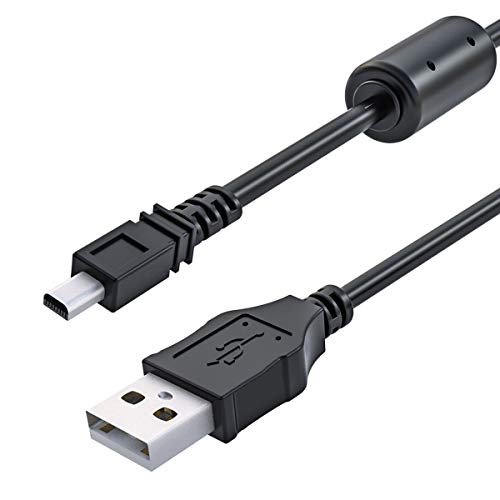
The Ancable UC-E6 USB cable is a 3-foot USB Mini-B data transfer cord designed for connecting Nikon CoolPix L, D, and P series cameras to a computer. It emphasizes plug-and-play use, minimal cable clutter, and reliable data transfer to mirror or import photos. The manufacturer highlights high-quality construction with good conductivity to minimize data loss during transfer, making it suitable for routine photo backups and quick in-field transfers.
Ienza IFC-400PCU USB Data Cable for Canon

This Camera IFC-400PCU data transfer cable is designed to move pictures and other files from Canon Rebel EOS T1i, T2i, T3, and similar models to a PC or Mac. It supports a wide range of Canon cameras requiring IFC-400PCU/IFC-200U/IFC-500U cables. The description notes compatibility with a broad list of Canon models, including PowerShot and Vixia camcorders, making it a practical option for photographers who use Canon gear and need a robust data link.
SCOVEE Mini USB Cable For Canon

This SCOVEE mini USB cable connects a USB-ready computer to a Canon PowerShot or Rebel camera that uses a mini-B 5-pin connector. The listing notes broad compatibility with devices such as GoPro HERO series, MP3 players, dash cams, Garmin receivers, and more. It supports USB 2.0 transfer speeds up to 480 Mbps and remains backward compatible with older USB standards, offering flexibility for various devices beyond cameras.
Ienza USB Picture Transfer Cable UC-E6/UC-E16/UC-E17

This USB picture transfer cable supports Nikon cameras that require UC-E6, UC-E23, or UC-E17 connectors and is also compatible with USB-C devices via adapters. It emphasizes easy file transfers to computers or smartphones and can support battery charging on certain models. The kit covers Nikon DSLR and Coolpix models while offering flexibility for USB-C equipped devices for broader workflow compatibility.
Buying Guide
Choosing the right USB cable or adapter for your camera depends on several factors. Consider the device compatibility, connector type, and intended workflow to avoid bottlenecks in your image transfers.
- Connector compatibility: Identify whether your camera uses Mini-B (5-pin), USB-C, or a proprietary IFC connector. Match the cable accordingly to ensure a reliable connection.
- Data transfer speed: USB 2.0 cables handle up to 480 Mbps, which is sufficient for most photo transfers. For large video files, a higher-speed path (where available) can matter, but many cameras still rely on USB 2.0 performance.
- Cable length and durability: Longer cables offer flexibility, but can introduce signal loss if fatigue or poor build quality exists. Look for well-constructed, braided or reinforced cables for daily use.
- Compatibility vs. versatility: Some cables are camera-brand specific (Canon, Nikon) while others are multi-brand or universal. If you own multiple brands, a versatile option can reduce the number of cables you carry.
- Charging vs. data transfer: Some cables support charging in addition to data transfer. If you need charging while syncing, confirm the cable supports charging on your camera model.
- Ease of use: Plug-and-play cables with clear labeling and robust connectors reduce the risk of wear at the plug ends. This is especially important for in-field transfers or trips.
- Alternative options: If you frequently transfer from cards, a card reader can be an efficient alternative. Cards can be read directly by devices with SD slots or USB readers, depending on your ecosystem.
When selecting, prioritize cables supported by your camera model list and those that provide a comfortable balance between reliability, length, and price. For photographers who rely on quick backups, a dedicated camera-to-computer cable from a reputable brand can offer stable results and fewer compatibility surprises.