Best Micro USB Cables for Cameras: Long-Range Power and Data
The right micro USB cables make it easier to power and connect security cameras wherever you place them. Whether indoors or outdoors, longer, flatter cables reduce installation drama and keep data syncing reliable. This guide highlights five high-compatibility options designed for Wyze cameras, Nest, Blink, and other popular models, with lengths from 10 to 30 feet. Each pick emphasizes durability, a flat profile for tidy routing, and the ability to replace shorter stock cords for greater flexibility. Use the quick-reference table below to compare key specs at a glance.
| Product | Brand | Length | Type | Key Benefit |
|---|---|---|---|---|
| 2 Pack 20FT Power Extension Cable | Uogw | 20 ft | Extension Cable | Long reach; flat profile for tight spots |
| 2-Pack 10FT USB Power Extension Cable | SCOVEE | 10 ft | Extension Cable | Moderate length; versatile for multiple locations |
| Smays 12 Ft Charger Cord | Smays | 12 ft | Charger Cord | Long power run with data transfer |
| 30Ft Micro USB Extension Cable | HCHNH | 30 ft | Extension Cable | Excellent for distant cameras; two-pack for multiple setups |
| 16.4Ft Micro USB Extension Cable | SIOCEN | 16.4 ft | Extension Cable | Long run with fast-charging capability |
Uogw 20Ft Micro USB Extension Cable

The Uogw 20 ft extension cable is designed to keep Wyze Cam V4, Wyze Cam v3, Wyze Cam Pan, WYZE Cam OG, Nest Cam Indoor, Blink, and other compatible cameras powered over a longer distance. Its flat cable profile makes it easier to thread through narrow gaps, under baseboards, or along window frames—often eliminating the need for drilling. The package includes two identical cables, offering flexibility for multi-camera deployments or spare spares. While the cord provides power and data syncing, it is not compatible with Blink 4th Gen, Blink Mini 2, or WYZE Battery Cam Pro. This makes it a practical upgrade for most common camera setups where long runs are required.
Compared with standard round cables, the Uogw flat design reduces tangling and improves routing aesthetics in living spaces. The two-pack approach is a notable convenience for households expanding camera coverage or relocating devices. Users report reliable performance for both indoor and outdoor placements, where proximity to outlets or intermediate power sources complicates installations. For best results, pair these cables with quality power sources and secure mounting to minimize cable strain and signal drop over long distances.
SCOVEE 10Ft Micro USB Extension Cable

The SCOVEE 10 ft USB power extension cable is tailored for Wyze Cam V4, v3, v2, OG, WyzeCam Pan, and other cameras such as Oculus Go, Nest Cam Indoor, and Furbo Dog. Its flat profile helps it slip through narrow gaps with minimal drilling, while the 10-foot length covers moderate distances between cameras and outlets. The connector arrangement is compatible with Amazon Cloud Camera, PS4 Controller, and Fire Kindle tablets, making it a versatile option for a mixed device setup. Note that this cable is not intended for Blink 4th Gen, Blink Mini 2, or WYZE Battery Cam Pro, so verify your specific model before purchase.
In practice, the SCOVEE cable offers a tidy, low-profile routing solution for mid-range camera installations. Users appreciate its ease of installation and the flat design that reduces snagging on doorways or window tracks. The cable’s construction supports basic charging needs and data transfer, ensuring cameras stay powered and data-synced during extended monitoring periods. For households with multiple devices, the 2-pack option provides backup or multi-location cable flexibility without compromising performance.
Smays 12 Ft Charger Cord

Smays offers a 12-foot micro USB charger cord designed for Wyze Cam v3, Nest, Yi Dome, Arlo Q, Blink, Ring Mini Cam, and other compatible cameras. This longer power cord serves as a reliable extension for camera placements that sit far from outlets, including exterior walls and high-mounted locations. The product is described as a sync cable, meaning it supports data transfer in addition to charging, with speeds up to 480 Mbps. This makes it suitable for cameras that require occasional on-site data syncing alongside power delivery.
The 12 ft design balances reach with manageability, reducing visible cable clutter while remaining easy to route behind furniture or along architectural features. The Smays cable is intended to replace shorter stock cables, enhancing convenience for installations that demand more flexibility. When planning outdoor or hard-to-reach setups, pairing this cord with durable mounting hardware can help maintain a clean, weather-aware installation and minimize wear at the connector ends.
Micro USB Camera Extension Cable For Wyze 30Ft

The Micro USB Camera Extension Cable for Wyze and related cameras comes as a 2-pack with a generous 30-foot reach. This long extension is ideal for cameras positioned far from power sources or outlets, enabling flexible indoor and outdoor installations without compromising power delivery. The cable is described as USB A to Micro USB, ensuring compatibility with a wide range of micro USB devices and camera models. It is not suited for Type-C connections, nor is it compatible with Blink 4th Gen, Blink Mini 2, or Wyze Battery Cam Pro.
Two-pack convenience allows simultaneous power for multiple cameras or a spare for future placements. The 30-foot length minimizes the need for extension cords from the main power hub, reducing cable management challenges. For outdoor use, consider weatherproofing or cord management strategies to protect connectors from moisture and temperature fluctuations while maintaining reliable charging and data flow.
SIOCEN 16.4Ft Micro USB Extension Cable
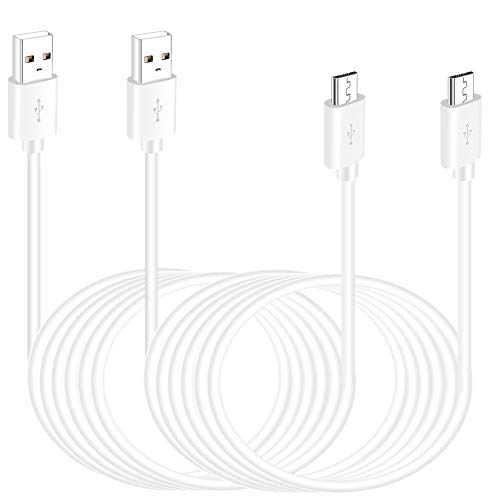
The SIOCEN 16.4 ft Micro USB Extension Cable is a long-range option designed to keep Wyze Cam YI Camera, Ring Indoor Cam (2nd Gen), PS4 Controller, and a variety of other devices powered over extended distances. The length supports indoor and outdoor placements where outlets are not nearby, and it is described as capable of fast charging with up to 2A. This extension is not compatible with Type-C devices, nor with Blink 4th Gen, Blink Mini 2, or Wyze Battery Cam Pro, so verify device compatibility before purchasing.
Users appreciate the balance of length and portability, especially for rooms with multiple devices requiring staggered power points. The braided construction provides durability for regular use, while the flat design helps it stay organized along walls and window frames. When integrating longer cables, plan cable management to reduce strain on connectors and preserve data integrity over extended runs.
Buying Guide
- Length vs. Power Needs: Longer cables increase placement flexibility but may introduce voltage drop if a camera requires high current. For most indoor cameras, 10–20 feet is sufficient, while outdoor or multi-room layouts may benefit from 30 feet or more. When selecting, consider both the maximum power draw of your camera and the cabinet or outlet distance.
- Flat vs Round Cables: Flat micro USB cables tend to route more cleanly along walls, under doors, or through narrow gaps, reducing snag hazards. If you anticipate tight spaces or frequent repositioning, flat profiles are worth prioritizing.
- Data Transfer Capabilities: Some extension cables advertise data syncing (up to 480 Mbps) in addition to charging. If your camera supports on-site data updates or local storage syncing, ensure the cable can handle data transfer alongside power.
- Compatibility and Model Limitations: Certain cables list exclusions (for example, Blink 4th Gen, Blink Mini 2, Wyze Battery Cam Pro). Always verify that the cable supports your exact camera model and any peripheral devices in the setup.
- Durability and Build: Braided or braided-like jackets, along with robust connectors, reduce wear over time. If outdoor installation is expected, look for weather resistance, shielding, and strain relief at the connectors.
- Installation and Organization: Two-pack options simplify multi-camera setups or provide backups. Plan routing with clips or channels to minimize bending and tension on the micro USB connectors, extending both cable life and reliability.
- Power Source Quality: A high-quality power adapter close to the cameras helps maintain reliable charging, especially with long extension runs. Avoid cheap adapters that may not sustain voltage under load.
In sum, the best micro USB extension cables for cameras combine length, durability, and clear compatibility. Flat designs ease installation in tight spaces, while multi-pack options offer the flexibility needed for multi-camera systems. When choosing, map your camera locations, outlet availability, and weather conditions to pick a solution that minimizes cable clutter while maximizing uptime and data integrity.