Best Indoor Cameras for Continuous Recording: Top 5 Picks for 24/7 Monitoring
Home security today blends constant vigilance with smart features. When you need 24/7 recording, look for 2K/2.5K or higher resolution, reliable continuous recording, motion detection, and easy access from anywhere. The following five indoor cameras are selected for their strong continuous recording capabilities, solid app support, and practical features for families, pets, and households. Each product is evaluated on video quality, night vision, motion alerts, and ease of use to help you compare options quickly.
The Cinnado indoor security camera offers a 2K FHD live stream with 360° monitoring. Pan and tilt functions enable full coverage, allowing remote viewing of every corner via a mobile app. Night visibility uses 4 940nm infrared lights for clear nighttime monitoring of babies and pets. It is wired for continuous power, ensuring uninterrupted operation. Smart motion detection triggers instant push alerts, while captured 10-second clips are stored in the app. Two-way audio supports real-time family communication, and multiple users can access the feed via shared accounts.
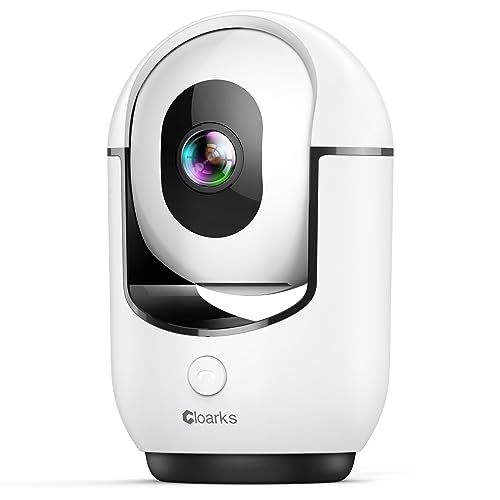
The Cloarks camera delivers 2K live streaming with 360° coverage via smart pan/tilt rotation. It requires constant power via a USB-C connection to support 24/7 recording, and it can be shared with multiple users for family access. Color night vision helps monitor rooms after dark, and the device supports 355° horizontal and 90° vertical rotation to keep view continuity as people and pets move. AI-assisted or manual motion alerts work through the accompanying app, ensuring timely updates and recorded events when activity occurs.
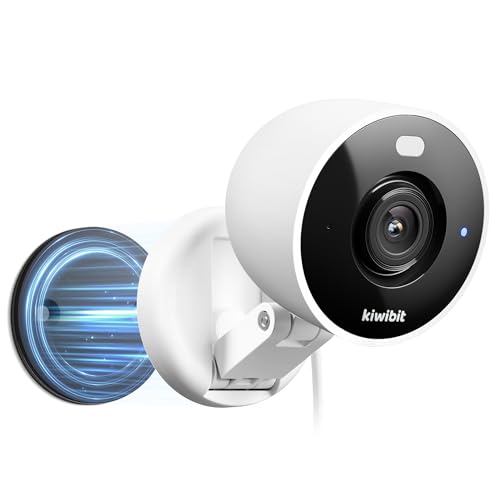
The Kiwibit camera emphasizes 2K video quality with full-color night vision that reaches up to 33 feet. Its flexible mounting options include a magnetic base, 3M adhesive, a metal plate for wall or ceiling installation, and adjustable rotation for a wide viewing area. With AI-enabled motion alerts and person/pet recognition, users can reduce false alarms. The device supports shared access and flexible positioning, which is ideal for rooms with unique layouts or multiple entry points.
AlfredCam Indoor Security Camera
The AlfredCam focuses on reliable continuous recording with full HD 1080p video and a wide 130° lens to minimize blind spots. Night vision is supported by built-in infrared LEDs, ensuring visibility in low light. The camera pairs with the AlfredCamera app to deliver smart motion alerts and two-way talk, letting you listen and respond in real time. Its design emphasizes user-friendly setup and ongoing operation, supporting baby or pet monitoring with consistent performance around the clock.
Sensforge delivers 2.5K resolution with full 360° horizontal and 90° vertical rotation for complete room coverage. The camera supports both SD card storage and cloud storage, catering to users who prefer local backups or cloud access. AI detection covers humans and pets, and real-time motion alerts help you stay informed. Dual-band Wi-Fi expands compatibility, making it easier to maintain a stable connection for continuous recording and remote viewing.
Buying Guide — Key Purchase Considerations
When choosing an indoor camera for continuous recording, consider the following factors to ensure a good fit for your home:
Resolution and detail: Higher resolutions (2K/2.5K) provide clearer footage, which matters for identifying faces and details in recordings.
Continuous power and reliability: Cameras that require constant power generally deliver more reliable 24/7 recording than battery-powered models.
Storage options: SD card, cloud storage, or a hybrid approach affect accessibility, retention, and cost. Ensure your device supports the preferred option.
Field of view and coverage: Pan/tilt capabilities and wide lenses reduce blind spots. Look for 360° coverage or near-360° rotation for comprehensive monitoring.
Night vision quality: Infrared or color night vision enhances nighttime monitoring and helps identify activity in low light.
Two-way audio: Built-in microphone and speaker enable real-time communication with family members or pets and can deter intruders.
Motion and AI detection: Motion alerts are essential, but AI features such as person or pet detection reduce false alarms.
Multi-user access: If you want family members to monitor streams, confirm easy sharing and permissions.
Connectivity: Dual-band Wi-Fi or stable 2.4G networks improve reliability, especially for continuous recording needs.
App experience: A well-designed app with quick alerts, easy playback, and straightforward setup adds long-term value.
Operational Perspectives
Continuous recording systems are best evaluated on reliability and privacy concerns. Wired cameras minimize downtime from battery drain, while SD card backups provide local redundancy if cloud services are interrupted. Some cameras offer subscription-free local AI detections, which can appeal to users who want to avoid monthly fees. For households with pets or children, quick access to recorded clips and intuitive playback can simplify security routines. Consider whether you prefer a compact form factor or a camera with flexible mounting options for various rooms.
Privacy And Security Considerations
Ensure cameras support secure connections, robust encryption, and prompt firmware updates. Review app permissions and data handling policies. If you rely on cloud storage, choose providers with clear retention policies and the ability to delete footage on demand. Position cameras away from areas with high privacy concerns, and use strong, unique passwords for your accounts.
Installation And Setup
Most indoor cameras in this list are easy to install with minimal tools, and many include flexible mounting options. Check whether a camera requires a constant power source and confirm it is compatible with your home Wi-Fi network. If you plan to expand, choose devices that support multi-camera integration within a single app for streamlined management.
Discover top-performing HD video cameras that cater to serious creators. This guide highlights five versatile options, from 8K-capable camcorders to reliable 1080p and 4K models, with key features like image stabilization, night vision, and easy streaming capability. Each pick includes a direct Amazon link for quick comparison and purchase, along with essential specs to help…
As families look for reliable, non-intrusive ways to monitor aging loved ones, the right camera system can provide peace of mind. This guide highlights five top options designed for elderly monitoring, focusing on ease of use, privacy, alerts, and two-way communication. Each pick supports different needs—from private, non-WiFi setups to feature-rich WiFi models with intelligent…
Answering your search for reliable time-lapse camcorders, the following picks excel at long-duration shoots on construction sites, plant growth studies, or outdoor projects. They balance battery life, image quality, and ease of use. This guide highlights who each model suits best, with a quick buying table to compare core specs at a glance. Product Best…
Time-lapse cameras let you document long projects—from construction progress to plant growth—without constant monitoring. This guide highlights five affordable options that balance image quality, battery life, and ease of use. Each product below includes key features to help you compare capabilities at a glance, followed by in-depth sections to understand what makes them suitable for…
If you’re searching for a USB camera to attach to a telescope, you want options that are easy to set up, compatible with common software, and capable of clear lunar and planetary imaging. This guide highlights five USB telescope cameras ideal for beginners and hobbyists. Each pick explains who it’s best for, what makes it…
Choosing a mid-range digital camera means balancing image quality, versatility, and user experience without stretching your budget. This guide highlights five solid options that blend solid resolution, reliable autofocus, and practical video features for everyday photographers. Each model serves a distinct purpose—from beginner-friendly DSLRs to compact, travel-ready shooters—so you can pick the one that matches…