Best Cameras That Connect Directly to Your Phone for Home Security
Answering the need for quick, on‑thego access to home security, these cameras connect to your phone for live view, alerts, and two‑way audio. They suit different buyers: busy homeowners want reliable 24/7 access, renters seek easy setup, and pet parents look for motion alerts around living areas. Below are five top options, with clear reasons to choose each and practical tradeoffs.
Summary table of chosen products: Blink Mini; GNCC Indoor Security Camera; Cinnado Security Camera Indoor; Kasa 1080p Indoor Pan/Tilt EC70; blurams Security Camera
Blink Mini: Compact Indoor Security Cam
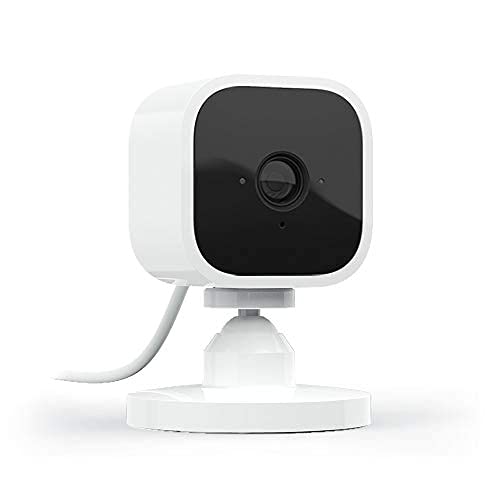
Best for: First‑time smart home security users who want simple setup and mobile alerts. Blink Mini delivers 1080p HD video, night vision, motion detection, and two‑way audio with easy smartphone access via the Blink app. It works with Alexa for hands‑free viewing and announcements. The small form factor makes it ideal for entryways or desks where space is limited.
Why selected: This camera prioritizes straightforward use and reliable push alerts, making it a strong option for individuals who want a quick, plug‑in setup without extra hubs. It is a practical starter kit for smartphones to monitor indoor spaces.
Caution: Limited local storage options; cloud storage may require a plan for longer video history. No local SD card by default.
GNCC Indoor Security Camera: 2K Clarity
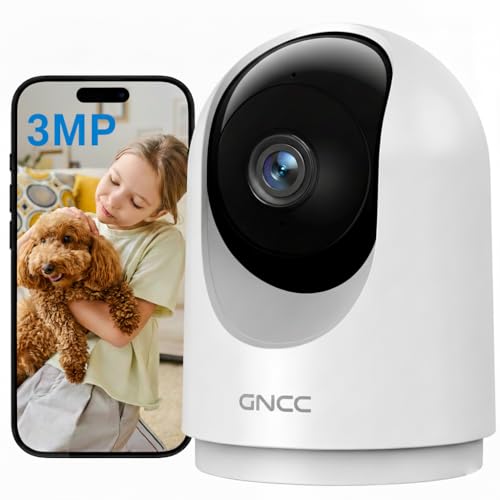
Best for: Homes needing sharper detail and wider coverage with 2K video and strong night vision. The GNCC camera supports 355° pan and 90° tilt, providing broader room coverage and clearer live view via the phone app. It suits households with multiple rooms and active monitoring needs.
Why selected: Its 2K resolution and full rotation help you track activity across a larger area, reducing blind spots. Two‑way audio lets you communicate with family members or pet watchers from anywhere.
Caution: Requires stable 2.4 GHz Wi‑Fi and continuous power via USB/Type‑C connection for uninterrupted monitoring.
Cinnado Indoor 2K 360° Camera

Best for: Households needing complete room coverage with continuous monitoring. The Cinnado camera offers 360° monitoring with 2K clarity, pan/tilt control, and two‑way audio to talk to people or pets from the app. Night vision helps maintain awareness after dark.
Why selected: 360° coverage minimizes blind spots and the multi‑user sharing enables family members to view from multiple devices. The built‑in motion alerts and siren add deterrence for intruders.
Caution: This model is a wired indoor camera, so placement is limited by power access and cable routing.
Kasa EC70: 1080p Pan/Tilt Security Cam

Best for: Budget‑conscious buyers who want features like pan/tilt, local storage options, and no mandatory subscription. The EC70 provides 1080p live streaming, motion detection, two‑way audio, and night vision, with local microSD storage and optional cloud plans.
Why selected: Its local storage option helps avoid ongoing fees while still delivering reliable monitoring via a familiar app ecosystem. It can function as a baby or pet monitor with real‑time alerts.
Caution: A 2.4 GHz Wi‑Fi connection is required for best performance; cloud storage adds ongoing costs if chosen.
blurams 2K Security Camera: Pan/Tilt & AI Alerts

Best for: Homes needing smart motion tracking and wide AI detection across multiple rooms. The blurams camera offers 2K resolution, 360° coverage, infrared night vision, and integration with Alexa and Google Assistant for voice control.
Why selected: Its AI motion detection and privacy features provide a balanced option for families sharing spaces, with smart alerts that reduce false notifications.
Caution: Privacy mode is available but may require setup to ensure it meets your monitoring expectations; ensure compatibility with your preferred voice assistant and IFTTT if used.
Buying Guide: How To Choose The Right Phone‑Connected Camera
What resolution do you need?
Higher resolutions, like 2K or 1080p, provide clearer details in live and recorded video. If you monitor small spaces or want precise facial details, prioritize 2K models. For simple alerts and quick lookups, 1080p is usually sufficient.
How important is field of view?
360° or near‑360° cameras minimize blind spots in a single room, which is helpful for pet monitoring or nanny care. If you need targeted coverage, consider pan/tilt capabilities (355° or more) to track activity across the room.
Do you need local storage or cloud storage?
Local storage (microSD) avoids monthly fees but limits how long you can retain footage. Cloud storage options can extend history but may add ongoing costs. Some cameras offer both, with optional subscription plans.
What about power and installation?
Plug‑in cameras are usually easiest to install, especially for renters. Wired cameras avoid battery replacements but require accessible outlets and cable routing. Consider whether you want battery backup or continuous power.
Is two‑way audio important?
Two‑way audio lets you speak to family members, pets, or visitors via the app. It can deter intruders and enable quick check‑ins, but may also pick up ambient noise. If you need privacy, check for microphone mute options.
Smart home integration
Most listed cameras work with Alexa or Google Assistant. If you already use voice assistants or IFTTT routines, verify compatibility and how commands appear on screens or through smart displays.
FAQ
- Can I view camera footage on my phone without an internet connection? No. Most cameras require a live internet connection to stream video to your phone and to upload cloud or local storage footage.
- Do these cameras support multiple users? Yes. Several models support sharing access with multiple devices, enabling family members to view simultaneously.
- Is there a risk of false alerts? AI motion detection and configurable zones help reduce false alerts, but sensitive areas may still generate notifications. Calibrate motion zones when possible.
- Are these cameras compatible with iOS and Android? Most listed cameras have apps compatible with both major mobile platforms, ensuring broad accessibility.
- What is the best option for renters? Plug‑in, wireless cameras with easy setup and no hardwiring requirements are ideal. Models with flexible mounting and minimal cabling are best.
- Do any include privacy features? Some offer privacy mode or easy mute for mic and camera. Review the app settings to enable privacy whenever needed.