Best Cameras With USB Output for Clear, Flexible Streaming and Recording
When seeking a camera with USB output, the ability to simultaneously connect to USB and HDMI, zoom versatility, and reliable 4K or 1080p performance are top priorities. This article highlights five high-performing options designed for computers, projectors, and live streaming setups. Each product is evaluated for USB output, image quality, lens flexibility, and ease of use. Whether you need a compact webcam for teaching, a PTZ solution for conferencing, or an industrial-grade camera for close-ups, these selections cover diverse distances and shooting styles while ensuring smooth data delivery to your computer or display.
| Product | Brand | Key Benefit | Resolution/Output |
|---|---|---|---|
| ELP 4K USB HDMI USB Camera Manual Zoom Webcam | ELP | Wide zoom range with adjustable brightness and clear 4K output | 4K USB & HDMI |
| MOKOSE 12MP HDMI Camera 1080P USB HD Streaming | MOKOSE | High-sensor quality with flexible HDMI/USB streaming | 4K@30fps HDMI; USB |
| ELP 4K HDMI USB Camera Wide Angle | ELP | Wide 120-degree field of view with dual display modes | 4K USB & HDMI |
| MOKOSE 12MP HDMI Camera Teaching Webcam | MOKOSE | Stable image with 12MP sensor and teaching-friendly features | 4K@30fps HDMI; USB |
| ELP 4K HDMI USB Camera 2.8-12mm Zoom | ELP | Flexible varifocal zoom for close-ups or long-distance | 4K USB & HDMI |
ELP 4K USB HDMI USB Camera Manual Zoom Webcam

This ELP camera supports 4K USB and HDMI outputs with a manual zoom lens ranging from 5 to 50mm, enabling flexible distance shooting. It offers USB Type-C power and simultaneous USB/HDMI display, making it suitable for desktop recording, live streaming, or security monitoring. The lens rotation adjusts zoom, brightness, and clarity, while the 4K max resolution reaches 3840×2160 at 30fps for crisp details in broadcasts or recordings.
MOKOSE 12MP HDMI Camera 1080P USB HD Streaming
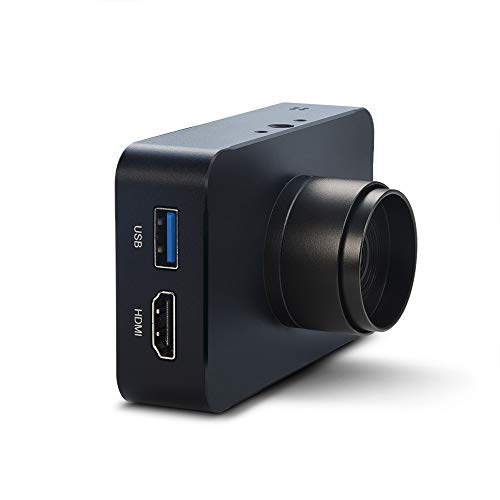
Equipped with a 12MP Sony IMX377 Exmor R sensor, this MOKOSE camera delivers high-quality imagery suitable for teaching and streaming. It supports 4K/30fps HDMI output and 1080p streaming options, with firmware upgrades via TF card to improve stability and image quality. The unit includes a solid aluminum shell and a 3-meter USB cable, plus double 1/4 inch screw threads to facilitate multi-angle placement on desks or stands.
ELP 4K HDMI USB Camera Wide Angle

This ELP model provides three display modes and supports simultaneous USB and HDMI output. It is a 4K camera with a wide 120-degree field of view designed to minimize distortion while covering large spaces. With a focusing range from 10 mm to infinity, users can capture both close-ups and wide scenes without sacrificing clarity. The device suits classroom setups, small conference rooms, or streaming stations requiring dual-display flexibility.
MOKOSE 12MP HDMI Camera Teaching Webcam
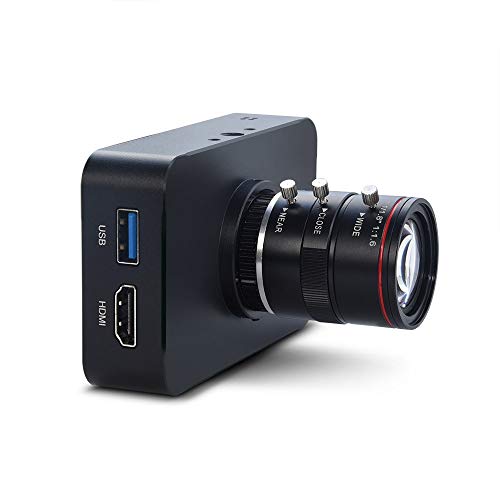
Designed for teaching environments, this MOKOSE camera uses a 12MP Sony IMX377 Exmor R sensor and supports 4K/30fps HDMI output along with USB streaming. Its firmware upgradability via TF card allows ongoing improvements, and the aluminum chassis ensures durability. The product emphasizes stability and image quality for classrooms, labs, or remote-learning setups that require reliable document capture, demonstrations, or live streaming to screens.
ELP 4K HDMI USB Camera 2.8-12mm Zoom

This ELP camera combines 4K output with a 2.8-12mm varifocal CS mount lens and 4X zoom, suitable for close-ups or distant shots. It supports USB and HDMI simultaneously, enabling plug-and-play use with laptops and displays. The flexible lens allows users to adjust composition without moving the camera, making it ideal for live demonstrations, webinars, or studio recordings where precise framing matters.
ELP 4K HDMI USB Camera Manual Zoom
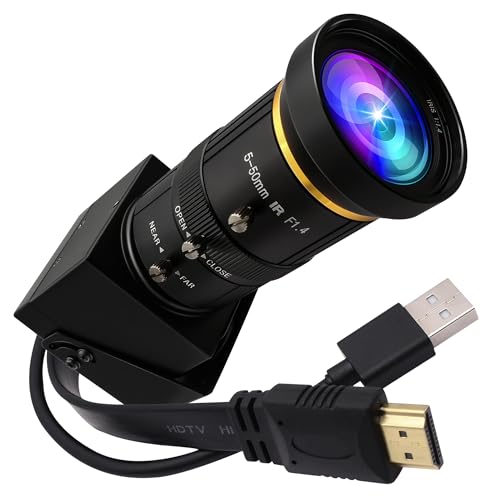
This ELP model emphasizes full 4K output at 30 Hz with both USB and HDMI outputs. It features three display modes (HDMI, USB, or both) and a 5-50mm zoom range with a 2X digital zoom. The combination of USB and HDMI simultaneous display is designed for versatile setups where a presenter needs to monitor on a second screen while recording or streaming on the main device.
Buying Guide: Key Considerations For Choosing A Camera With USB Output
- Output formats and compatibility: Ensure the camera supports USB and HDMI simultaneously if you need dual displays. Check whether USB-C power is available for convenient connections to modern laptops and tablets.
- Resolution and frame rate: 4K at 30fps provides crisp, professional footage, while 1080p at 60fps works well for smoother motion in live streams and teaching sessions. Consider your target platforms (YouTube, Zoom, OBS) and bandwidth limits.
- Lens and zoom flexibility: Varifocal lenses (e.g., 5-50mm or 2.8-12mm) offer flexibility for close-ups or wide-angle scenes. Optical zoom generally preserves image quality better than digital zoom.
- Field of view and distortion: Wide-angle lenses are great for classrooms or conferences, but ensure distortion is minimized, especially at the edges. Look for wide FOV with low distortion specs.
- Mounting and form factor: A camera with a stable base, compatibility with standard tripods (1/4″ screw), and robust build is important for long sessions. Aluminum bodies tend to be sturdier for extended use.
- Firmware and upgradeability: Some models support firmware upgrades via TF cards, which can improve performance and add features over time.
- Audio considerations: Note that many PTZ and conferencing cameras do not include built-in mics. Plan for separate audio capture or an external mic if needed.
- Intended use case: For teaching, prioritize stable autofocus and clear text capture. For live events, ensure high stability, low latency, and reliable streaming output to your encoder or platform.
- Connectivity and power: Check if devices can be powered via USB-C while streaming and whether they require external power adapters for extended use.
Choosing a camera with USB output requires aligning your shooting distance, display needs, and workflow. The options above provide varied focal ranges, robust sensor performance, and flexible outputs to suit classrooms, small meetings, and live-stream environments while keeping the data flow smooth to your computer or monitor.