Best Cameras for Virtual Classrooms: Clear Demos and Live Lessons
Choosing the right document camera or webcam can elevate distance teaching by providing crisp, flexible visuals for students. The following picks represent reliable USB document cameras and visualizers designed for classrooms, remote learning, and Zoom-style sessions. Below is a quick summary, followed by detailed overviews of five top options and a practical buying guide.
| Product | Brand | Key Feature | Ideal For |
|---|---|---|---|
| 8MP USB Document Camera | PAKOTOO | Image inversion, foldable design, A3 coverage | Teachers needing large-format demonstrations |
| Document Camera For Teachers | Gawervan | 1080P live demos, 360° lens, portable | Remote lessons and live demonstrations |
| INSWAN INS-3 | INSWAN | 2560x1920p, built-in mic, auto focus | Hands-on, close-up demonstrations |
| kitchbai Document Camera | kitchbai | LED fill light, image invert, foldable | Difficult lighting environments |
| OKIOCAM T-4K | OKIOCAM | 8MP, 4K capable, compact | Large-format and high-detail visuals |
PAKOTOO 8MP USB Document Camera

PAKOTOO’s USB document camera is designed for teachers who need versatility with a large visual area. It features an image reversal function accessible via a hardware button, allowing left-right and up-down flipping during video chats or outputs without software. It connects via USB 2.0, supports A3-sized materials, and includes three brightness levels plus 10 exposure levels for clearer demonstration in varying lighting. A foldable, embedded design and multi-joint rotation help capture both 2D and 3D objects, making it suitable for demonstrations, worksheets, and large-format displays.
Document Camera For Teachers Gawervan

Gawervan’s USB document camera converts to a dynamic webcam and visualizer, ideal for live lessons and demonstrations. It offers a 360° adjustable lens for crisp 1080p video at 30fps, a foldable, portable USB design for easy travel, and manual focus to ensure sharp images in dim lighting. The combination of a flexible viewing angle and reliable video output supports interactive use with worksheets, 3D objects, and hands-on activities during distance learning.
INSWAN INS-3 Handheld USB Camera

INSWAN’s INS-3 stands out with high-resolution capture up to 2560x1920p at 30fps, delivering crisp detail for close-up demonstrations. It supports a handheld form factor, enabling hands-on exploration of objects or models in the classroom or at home. An integrated LED light, auto focus, and a built-in microphone facilitate engaging live demonstrations, especially in settings with variable lighting or interactive show-and-tell sessions.
kitchbai Document Camera For Teachers

kitchbai offers a 3-in-1 USB document camera, webcam, and visualizer with an HD sensor up to 2592×1944P. Its hose-style adjustable arm supports multiple angles, and the unit includes an LED fill light with three brightness levels. Image inversion can be controlled via a dedicated button, enabling left-right mirroring during video chats or distance teaching. A quick AF focus function helps reduce time between demonstrations and sharing precise details for learners.
OKIOCAM T-4K USB Document Camera
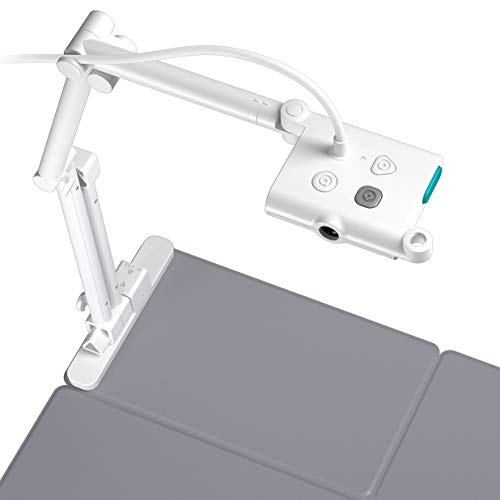
OKIOCAM’s T-4K model emphasizes compact portability with an 8MP sensor and 4K-capable streaming at reduced frame rates. Its ledger-size capture area (up to 13.86″ x 18.11″) makes it suitable for showing maps, blueprints, and large documents. The camera supports flexible positioning, including mounting options, and provides lag-free streaming for online classes, video calls, and interactive lessons across multiple operating systems.
Buying Guide for Camera Solutions in Virtual Classrooms
Key purchase considerations help determine which camera fits a given classroom setup and teaching style. Here are several perspectives to weigh:
- Resolution and detail: Higher resolutions (1080p–4K) improve legibility for worksheets, diagrams, and fine print. Check frame rates (30fps is common) to ensure smooth motion during live demos.
- Field of view and size: A3 coverage or large-format capture is beneficial for showing books, papers, and hands-on work. Adjustable arms and flip/mirror features expand versatility in different room layouts.
- Lighting and exposure: Built-in LED lights and exposure controls help maintain clear images in dim rooms. Look for 5–10 levels of brightness or ISO control for flexible environments.
- Connectivity and compatibility: USB-based cameras offer plug-and-play simplicity with Windows, macOS, Chrome OS, and Linux. Consider devices that work with conferencing apps like Zoom, Meet, or Teams without extra software.
- Portability and setup: Foldable or compact designs reduce footprint and make it easier to move between classrooms or home offices. A handheld option can be useful for on-the-fly demonstrations.
- Image orientation controls: Inversion, mirroring, and pivoting are valuable for showing objects from different angles without repositioning the whole setup.
- Audio integration: Built-in microphones simplify setup for quick demonstrations, though external mics may enhance sound quality for larger rooms.
- Price and warranty: Consider total cost of ownership and the manufacturer’s warranty, especially in busy classrooms where equipment undergoes frequent use.
For virtual classrooms, prioritizing a camera with large-format capture, flexible mounting, and reliable software compatibility typically yields the most consistent results across live sessions, recorded lessons, and student engagement activities.