Best Passport Photo Solutions: Printers and Cameras for US Passports
Whether you’re a small business owner, a desktop portrait studio, or a travel-friendly creator, these passport photo solutions deliver compliant outputs with minimal setup. This guide focuses on printers and systems designed to produce standard 2×2″ photos for US passports, plus compatible cameras for capturing suitable images. The top picks are best for professionals seeking reliable templates, quick turnaround, and straightforward workflows. The table below highlights the five most relevant products for passport photo work.
| Product | Best For | Key Advantage |
|---|---|---|
| CFS Products Passport Photo Printer System | Out-of-the-box passport photo stations | Pre-programmed for US passports; direct transfer via SD/USB |
| CFS Products Smartphone Passport Photo System | Mobile or on-the-go labs | Uses existing phone/tablet; wireless connectivity |
| DNP ID Photo Printer System with Pixpro Camera | High-volume ID photo labs | Compliant output gallery and flexible templates |
| FLATIC 6K 64MP Digital Camera | High-detail photography for headshots | 6K video, 64MP photos, WiFi |
| CAMKORY 4K Digital Camera with 16X Zoom | Beginner-friendly passport-ready captures | Dual front/rear shooting modes and stabilization |
CFS Products Passport Photo Printer System

The CFS Products Passport Photo Printer System is designed as a complete passport photo workflow. It includes everything needed to capture and print compliant passport images, with pre-programmed settings ready to use in a US passport context. A key benefit is the direct transfer option from camera to printer via SD card or USB cable (cables not included), which helps minimize data handling steps. Best for small studios or temporary pop-ups that require rapid, standardized outputs.
- Best for: Consistent, standards-based passport printing with minimal setup.
- Why selected: Preconfigured for immediate use, reducing the risk of non-compliant outputs.
- Caution: SD/USB transfer requires compatible cables and setup; confirm USB compatibility with your device.
CFS Products Smartphone Passport Photo System

Designed for mobile workspaces, this system pairs a printer with a 2×2″ passport die cutter and includes paper/ink for a set number of prints. It uses your existing phone or tablet and offers wireless connectivity, making it ideal for on-site passport photo services at events or small offices. It supports a compact, on-the-go studio approach without requiring a dedicated computer.
- Best for: Mobile labs and field work using a familiar device.
- Why selected: Leverages your phone’s camera and wireless connectivity to speed up workflows.
- Caution: Printing throughput depends on the phone’s battery and wireless stability; check printer compatibility with your device.
DNP ID Photo Printer System with Pixpro Camera

The DNP system is designed to streamline compliant ID photo production. It emphasizes a gallery-based workflow on the included console, where past images and templates can be reviewed for reprints or template changes without re-capturing photos. It supports a large selection of passport and visa output sizes, which is useful for offices handling multiple document formats. Best for high-volume labs that need repeatable results.
- Best for: Laboratories or studios producing frequent ID photos.
- Why selected: The gallery and template flexibility reduce errors in reprint scenarios.
- Caution: The setup assumes familiarity with console-based workflows; onboarding may require time for staff.
FLATIC 6K 64MP Digital Camera
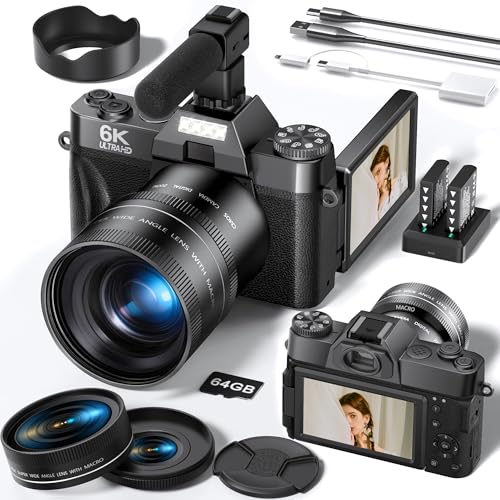
FLATIC’s 6K 64MP digital camera provides ultra-high-detail imagery suitable for creating clean passport photos when paired with correct cropping and lighting. The camera features WiFi for easy transfer to a smartphone or tablet and an external microphone is noted for more advanced video capture. This option is best for users who need high-resolution source material for future edits or exhibit-quality prints, though for passport photos, cropping to 2×2″ is essential and may require post-processing.
- Best for: Studios needing high-resolution source material and flexible workflow options.
- Why selected: Combines high resolution with wireless transfer for efficient image handling.
- Caution: Not a plug-and-play passport printer by itself; ensure proper cropping and template use.
CAMKORY 4K Digital Camera
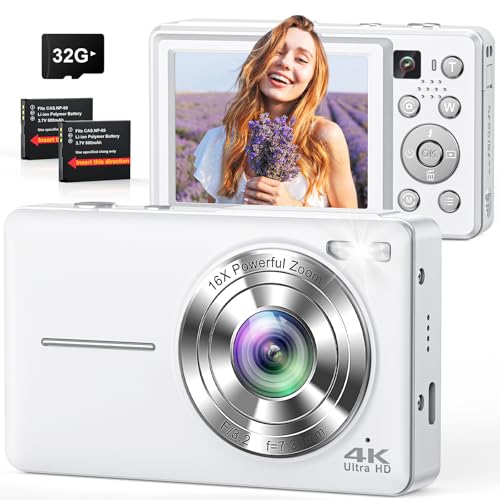
This CAMKORY model offers 4K video and 64MP photos with a built-in stabilization system and a front/rear camera option. It supports dual-front/back shooting modes, which can be useful for self-portraits and standard ID photos when handled correctly. It’s a practical option for beginners or family studios that want a straightforward camera for passport-ready headshots under controlled lighting.
- Best for: Entry-level studios needing versatile shooting modes.
- Why selected: Simple controls and stabilization help produce clean headshots with minimal effort.
- Caution: Verify that the output can be cropped to standard passport dimensions without quality loss.
Buying Guide: Passport Photo Gear And Workflow
- What counts as passport-compliant output?
- Printer vs. all-in-one systems: which to choose?
- Compatibility considerations
- Image capture tips for consistency
- Budget and scalability
Most US passport authorities require a 2×2″ head-and-shoulders image with specific centering, background, and lighting. The printer or system should support standard templates and cropping to exact dimensions without distortion.
Printer-only solutions give you control over paper stock and color, but all-in-one systems offer ready-to-use templates and guided workflows. For high-volume offices, a system with a preconfigured workflow reduces error risk.
Ensure that the system can transfer images from capture devices (cameras or phones) without data loss. SD card or USB transfer should be supported, and wireless options can improve efficiency in busy settings.
Use a neutral, non-distracting background, uniform lighting, and a centered subject. Keep the subject’s posture straight and eyes level with the camera. When using cameras, ensure the focal plane aligns with standard passport head height within the crop area.
Consider how many prints you need per day. Systems with a larger supply of printer consumables and easy reprints save time, but initial costs vary. Choose a solution that scales with your expected demand and staff training time.
FAQ
- What is the simplest passport photo solution for a small shop?
- Can I use consumer cameras to take passport photos?
- Is wireless transfer important for passport photo work?
- What should I look for in a passport photo printer’s software?
- Are high-resolution cameras necessary for passport photos?
- Do these systems require ongoing maintenance?
A preconfigured passport printer system with canned templates is often the easiest to implement, as it minimizes setup and reduces the chance of non-compliant outputs.
Yes, but you must ensure the images are cropped precisely to the 2×2″ size and meet required background and lighting standards. Dedicated passport workflows reduce error risk.
Wireless transfer can improve speed and reduce handling steps, but reliability matters. Ensure stable connections and a backup USB/SD option.
Templates for US passport sizes, easy cropping to exact dimensions, consistent color output, and a secure workflow that prevents unintended edits.
High resolution helps with crisp outputs, but the key is precise cropping and reliable templates. A balance of resolution and workflow practicality is ideal.
Yes. Regular maintenance includes updating templates, calibrating print output, and replacing consumables to maintain consistency and compliance.