Best Intraoral Photography Cameras for Dental Offices
Choosing the right intraoral camera can improve patient communication, treatment planning, and case acceptance. This guide highlights five dependable options that work with popular dental imaging software and offer clear images, reliable lighting, and user-friendly controls. Each option is evaluated for software compatibility, image quality, and ease of use to help practices select a camera that fits their workflow.
Summary of chosen products
| Product | Brand | Key Strength | Software Compatibility Notes |
|---|---|---|---|
| DARYOU DY-50 Intraoral Camera | DARYOU | Crystal clear pictures; driver for many imaging suites | Dexis, Eaglesoft, and many others; capture button included |
| MouthWatch Intraoral Camera | MouthWatch | One-button capture; lag-free, quick image capture | Supports over 50 imaging suites |
| ProDENT Intraoral Camera PD740 | ProDENT | High-quality auto focus; wide viewing angle | Dexis, Eaglesoft, Apteryx, Carestream, and more |
| DARYOU DY-60 Intraoral Camera | DARYOU | 720P HD, zoomable; button work with major brands | Dexis, Eaglesoft, Carestream, Suni, and more |
| ProDENT PD750 | ProDENT | Capture button integration; broad software compatibility | Dexis, Eaglesoft, OpenDENTAL, and more |
DARYOU DY-50 Intraoral Camera
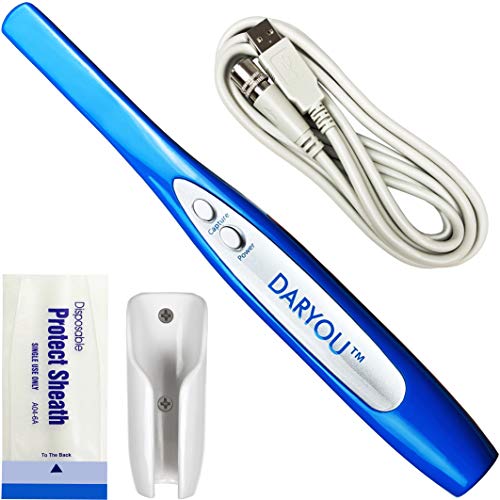
The DY-50 offers crystal-clear images and can integrate with many North American imaging software packages. It includes a capture button designed to work with multiple software platforms, including Dexis, Eaglesoft, and others. Note that compatibility is strongest with software listed in the product description, and users should confirm their setup before purchase.
MouthWatch Intraoral Camera

Designed for fast, simple use, the MouthWatch camera delivers crystal-clear intraoral images with a fixed focal distance to eliminate hunting. The one-button capture streamlines patient interactions, and images are saved directly to the patient chart. It is marketed as compatible with more than 50 imaging suites, reducing software friction in busy practices.
ProDENT Intraoral Camera PD740

The PD740 emphasizes broad software compatibility with major systems like Dexis, Eaglesoft, and Carestream. It features an auto-focus lens and a wide viewing angle to capture detailed images quickly. The model is positioned as an easy upgrade from older PD models, with enhanced image quality and driver support included.
DARYOU DY-60 Intraoral Camera
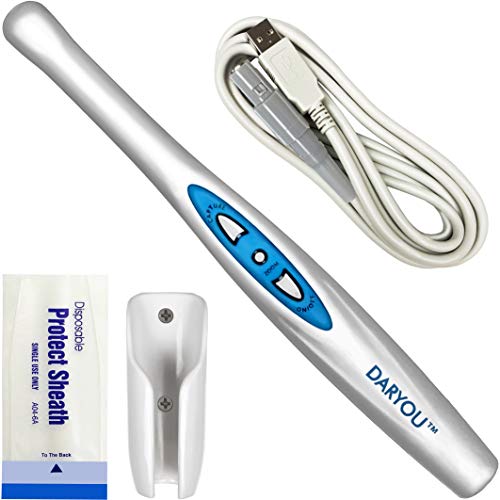
The DY-60 features 720P HD video and a zoomable lens, with a button-driven workflow designed to work with multiple software packages. It supports a broad set of brands including Dexis, Eaglesoft, and Carestream, and has a plug-and-play approach that simplifies setup for many clinics.
ProDENT PD750 Intraoral Camera
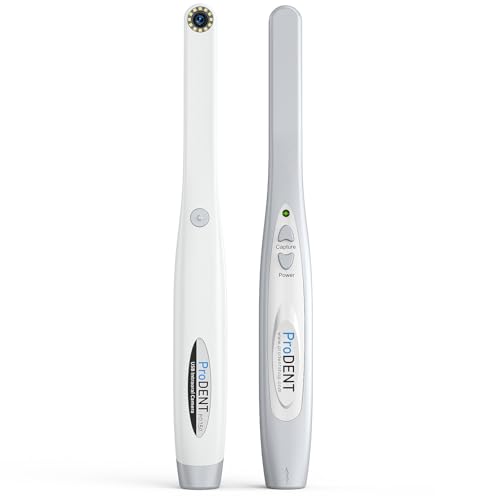
The PD750 is an advance over classical PD740, with an emphasis on easy operation and transparent driver support for major imaging software like Dexis, Eaglesoft, and OpenDENTAL. It includes the Capture driver to facilitate seamless integration, and its compatibility is designed to accommodate clinics seeking broad software interoperability.
Buying Guide: Key Purchase Considerations
- Software compatibility: Verify the camera supports your current imaging software (Dexis, Eaglesoft, Carestream, OpenDENTAL, Romexis, etc.). Some models require a dedicated capture driver for full functionality.
- Image quality and lighting: Prioritize cameras with high-resolution capture and sufficient LED illumination. Look for adjustable color temperature and focus ranges that suit varied patient anatomies.
- Ease of use: One-button capture, minimal lag, and straightforward workflow integration can reduce chair time and improve case acceptance when presenting findings to patients.
- Connectivity and compatibility: Ensure USB connection compatibility with your practice computers, including Windows versions you use. Some models claim broad compatibility but may require specific software versions.
- Physical design: Ergonomic grip, lightweight build, and reliable lens are important for comfortable extended use, especially in pediatric or anxious patients.
- Maintenance and support: Check for available firmware updates, driver support, and vendor responsiveness if software compatibility needs to be expanded or adjusted.
- Cost of ownership: Consider included accessories (drivers, cables, cases) and the potential need for ongoing software licenses or subscription services tied to imaging suites.
- Image management: Consider how easily captured images integrate into patient records and whether the device supports direct chart attachment or requires manual export.
- Warranty and reliability: A solid warranty and proven field reliability reduce downtime in a busy practice.
- Future-proofing: Some cameras advertise broad compatibility now; ensure continued support or have a plan for migrating to newer software ecosystems in the coming years.
These cameras share a focus on delivering clear visuals, simple operation, and broad software compatibility to support clinical communication and documentation. Practices should assess their current imaging software, patient demographic, and workflow to select the model best aligned with their needs.