Best Camera Film Scanner and Digital Photo Converter for Preserving Memories
When the goal is to convert old negatives, slides, and prints into shareable digital files, choosing the right film scanner matters. This guide highlights five reliable options, showing how they compare on display quality, ease of use, portability, and storage options. Each model is designed to help American households preserve memories from 135, 110, and 126 formats, plus 35mm slides, with varying screen sizes and standalone capabilities.
| Product | |||
|---|---|---|---|
| KODAK Slide N SCAN | All-in-one Film Scanner | 5” LCD | Direct-to-SD card and quick-feed loading |
| DigitConvert Mobile Film Scanner | Portable 35mm Scanner | Compact foldable design | Travel-friendly with free app support |
| KLIM K2 Mobile Photo Digitizer | Mobile-friendly Scanner | Smartphone-ready via app | Foldable, battery-powered, affordable development at home |
| DigitConvert 2nd Scanner | Portable 35mm/Negatives Scanner | Foldable, with free app | Compact and simple for on-the-go digitizing |
| DigitPro Film & Photo Scanner | 5″ LCD All-in-One | 8GB SD included | Converts 135/110 slides and prints plus business cards |
KODAK Slide N SCAN Film & Slide Scanner

The KODAK Slide N SCAN combines a 5-inch LCD display with a direct-to-SD workflow. It supports 135, 110, and 126 film formats, plus 50mm slides, and includes a 50mm slide holder and adapters for multiple film sizes. A quick-feeding tray makes continuous loading practical, while USB and HDMI outputs offer flexible connection options for viewing or editing on larger screens.
Mobile Film Scanner 35mm, Slide & Negative Scanner
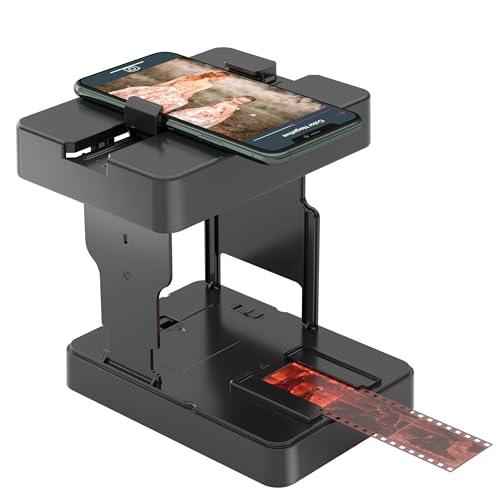
The DigitConvert model is designed for portability, folding into a compact box for travel. It can view, scan, and convert 35mm slides and 135 film negatives to digital JPEGs. A free app accompanies the device, and an easy-to-follow manual helps users download and use the app effectively.
KLIM K2 Mobile Photo Digitizer 35mm

The KLIM K2 emphasizes a smartphone-friendly workflow with an included app. It supports scanning 35mm color positives, negatives, and black-and-white films, plus color slides. The kit comes with batteries, a cleaning cloth, and a magnetic plate for larger phones, along with a manual to guide app usage for easy digitizing at home and on the go.
DigitConvert Mobile Film Scanner for 35mm

This DigitConvert model emphasizes a foldable, compact design and free app support. It digitizes 35mm slides and 135 film negatives into JPEGs and ships with a straightforward manual to help you download and use a compatible app for digitizing on the move.
DigitPro Film & Photo Scanner with 5″ LCD

DigitPro’s all-in-one scanner handles 135/110 negatives, slides, and printed photos up to 3R/4R/5R, plus business cards. Its 5-inch LCD screen enables on-device preview and basic edits—adjust brightness, color, and date/time without a computer. It includes an 8GB SD card and built-in memory for immediate saving.
Buying Guide: Key Purchase Considerations
- Format support: Verify the film types and slide sizes supported (135, 110, 126, 50mm slides, Super 8, etc.). Choose a model that matches your collection’s formats.
- Display and editing: A larger built-in LCD allows quick previews and basic edits. Consider tilt and brightness features for comfortable viewing in different lighting.
- Storage options: Look for devices with built-in memory, SD card support, or both. SD compatibility (up to 64GB) increases flexibility for transferring large batches.
- Portability vs. bulk: Foldable and compact designs are ideal for travel and small spaces, while larger units may offer better screens and faster scanning.
- Connectivity: USB, HDMI, and app-based workflows enable multiple ways to save, edit, and share files. Free companion apps can simplify digitization on smartphones.
- One-touch scanning: Devices with single-button scans reduce time and complexity, especially for archival projects with many frames.
- Quality and resolution: Common scan resolutions range from 13MP to 22MP. Higher MP counts generally yield crisper digital copies, especially for large prints.
- Ease of use: Consider whether you prefer a standalone device with minimal setup or a model that integrates with a smartphone app for customization and cloud sharing.